Recent News & Blog / Why Incorrect Categorizations in QuickBooks Online Could Be Hurting Your Business
May 1, 2026
Categorizing transactions incorrectly can have a major impact on every element of your accounting files.
There are numerous ways you can make mistakes when you’re entering information in QuickBooks Online. You might invoice a customer for the wrong amount, underpay a bill, ignore your Undeposited Funds account, or even send a statement to the wrong client. These errors can have consequences ranging from not knowing how much cash you truly have to relationship damage customers and suppliers. The good news is that these problems are often short-term and can be easily corrected.
However, there’s another mistake that has a far-reaching impact, and whose effects can last for years: Categorizing transactions incorrectly. This one action can cause major inaccuracies in your reports, your income taxes, your perception of how your business is doing financially, and ultimately, your planning and decisions.
How Does It Happen?
There are many ways you can end up with miscategorized transactions. The most common involves guessing when it comes to these critical classifications.
You might also not have a clear understanding of a category’s scope. What expenses are appropriate for Office Supplies, for example? Are you setting up categorization Rules but either making them too broad or not revisiting them occasionally? And do you use the Other Expenses category frequently?
How Does Categorization Affect Your Financials?
There are all kinds of ways that categorizing transactions incorrectly affects your QuickBooks Online files.
Your income tax returns will have mistakes.
When you run reports that include income and expenses in preparation for tax filing, they naturally use data that you’ve entered in transactions. If they’re not all absolutely correct, you could end up claiming deductions that you shouldn’t or missing out on others that you should.
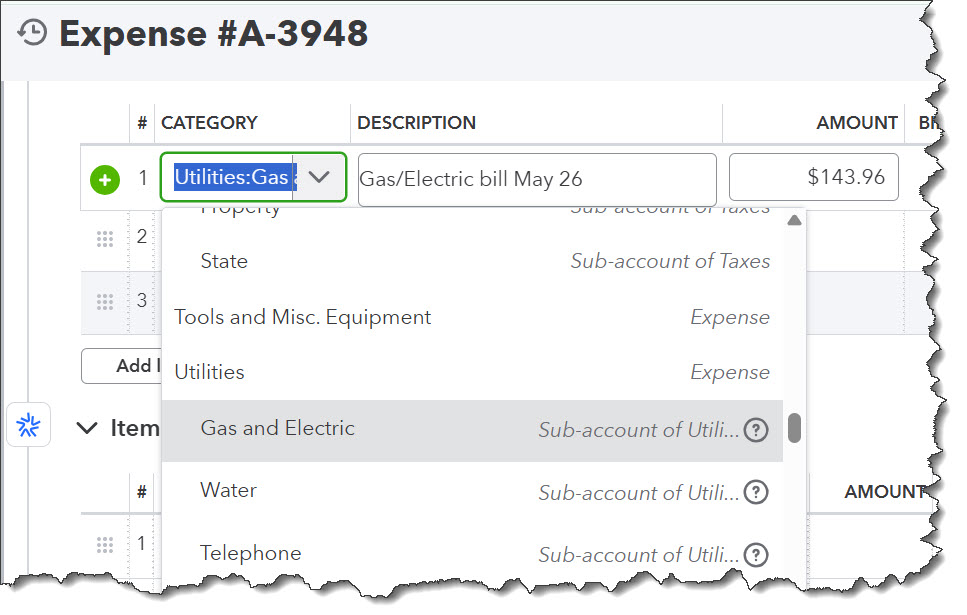
Your income taxes will not be accurate if you don’t categorize all income and expenses correctly.
Your profit will appear to be higher or lower than it actually is.
Do you ever record expenses as assets or fail to record them at all? If so, your profit will be overstated. If you include personal or duplicate assets, your profit will be understated. Either way, you’ll be basing your business decisions on faulty information.
You won’t have an accurate view of your business.
Are you leaning on categories like Uncategorized Expense too often? Do you ever assign expenses to Ask My Accountant and then forget to deal with them? If so, you won’t know the correct answers to questions like:
- Which expenses are driving your profit down?
- What are you really spending on advertising?
- Are you overspending on technology?
What Are Some Common Errors?
Here are some mistakes that are easy to make, but can cause significant problems:
- Recording loan payments as one entry. Loans are liabilities. Interest is an expense. Be sure to split your loan payments correctly.
- Commingling business and personal expenses. It’s best to have dedicated business bank and credit card accounts, but if you’re combining business and personal, categorize personal expenses as Owner’s Equity accounts, like Owner’s Draw.
- Treating large purchases as immediate expenses, rather than assets. If you spend $3,000 on a new computer, for example, don’t categorize it as Office Supplies as you might with a stapler. You’ll need our help dealing with this.
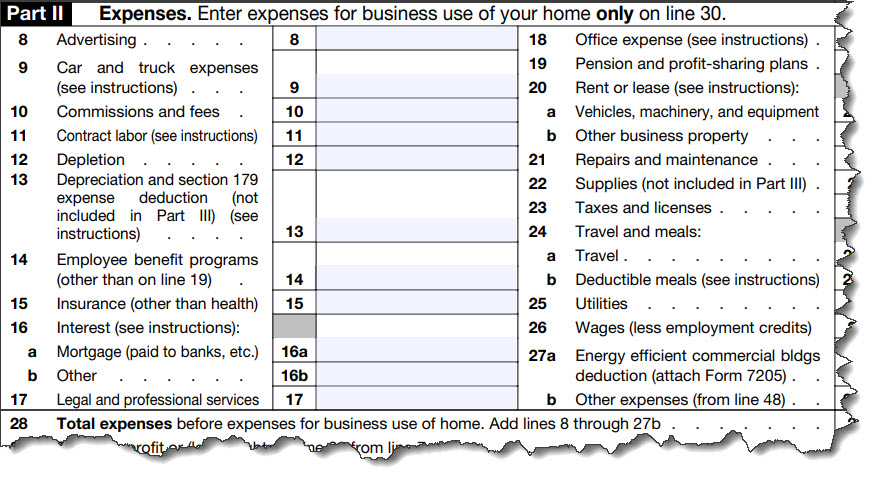
One of the reasons categorization is so critical is because your business expenses could be scrutinized someday by the IRS.
- Duplicating income in your Bank Feed. Say you send an invoice but don’t necessarily recognize the payment when it comes in, and for some reason, QuickBooks Online didn’t automatically match the two transactions like it should have. Don’t add the payment as a separate transaction or you’ll duplicate it, causing a serious problem.
Warning: If you’re new to QuickBooks Online and/or you’re not sure how to manage your Bank Feed, please contact us about scheduling a training session or two.
Avoiding These Problems: 4 Tips
We’ve talked before about QuickBooks Online maintenance. We’ve recommended actions you should take on a regular basis to ensure that nothing is falling through the cracks. Correct categorization is one of them.
While, unless you’re very new to QuickBooks Online, it’s not likely that you’ll be able to start over and check absolutely everything, but you can start where you are and be more mindful of the importance of accurate categorization. Here are some suggestions.
Suggestion 1: Unless you have an unwieldy transaction volume, go back over the last 60-90 days and look for obvious errors.
- Deal with duplicates.
- Correct incorrect categories.
- Add details that are missing.
Suggestion 2: Evaluate your Chart of Accounts. Here, too, it’s best to let us help with this. Though QuickBooks Online allows it, we don’t recommend altering this core element of your accounting files without professional help. The goal is to have a Chart of Accounts that reflects your business.
Suggestion 3: Go over your Bank Feed carefully. Don’t add a payment without answering these questions:
- What was this transaction for?
- Is it categorized correctly?
- Does it match a previous transaction?
Suggestion 4: Examine your financial situation regularly, at least twice monthly. Are there large amounts in catch-all categories like Miscellaneous? Are there unusual spikes or drops in your Profit & Loss report? Are there tremendous variances when you compare month-to-month trends?
Final Thoughts
Categorizing your expenses is just one of your regular tasks in QuickBooks Online. This process is critical, so take the time you need when you’re doing this.
If you have questions about any of the concepts covered in this month’s article, please contact our team. We are happy to review or expand upon what was covered.
Reminder
Don’t forget that QuickBooks Desktop will be sunsetting in May of 2027, making now an important time to switch over to QuickBooks Online if you haven’t already. Please reach out to us to schedule a consultation to learn more.